




ReadySuite 9.0.0 is released and now available to download. We recommend all customers using previous versions update to this release to benefit from many new major features, eDiscovery scripts, performance improvements, and increased stability.
Existing customers with an active subscription can upgrade to ReadySuite 9.0 at no additional cost. Your current license serial remains valid for ReadySuite 9. However, if you are using the Network edition of ReadySuite, you will need to re-activate using your existing serial after installing ReadySuite Admin. Please see the breaking changes section below.
To see a full list of changes in ReadySuite v9.0.0, view the entire release notes here.
To get the latest installer, please visit the download page and a link will be sent automatically using the form.
Runtime Upgrade: .NET Framework 4.8 → .NET 10
ReadySuite has been upgraded from .NET Framework 4.8 to .NET 10, which is bundled directly with the installer — no separate runtime installation required. Moving to .NET 10 brings meaningful improvements in memory management, startup performance, and long-term platform support.
ReadySuite Admin (formerly ReadyLicense)
This applies to network license users only. If you are on a machine or workstation license, this change is not relevant to you.
ReadySuite 9 is not compatible with the old ReadyLicense service. Before upgrading, you must uninstall ReadyLicense and install ReadySuite Admin. Please plan your upgrade accordingly — this is a required step before ReadySuite 9 will function in a network licensing environment.
Make sure to read and follow the ReadySuite 9 Upgrade Guide.
The move to .NET 10 required an architectural change to the network licensing tool, which is why ReadyLicense has been deprecated and replaced. We also took this opportunity to rename the tool to ReadySuite Admin — as we plan to expand its functionality well beyond licensing in the future, now was the right time to reflect that in the name.
You will need to re-activate after installing ReadySuite Admin, but your existing serial is all you need — no new serial will be issued.
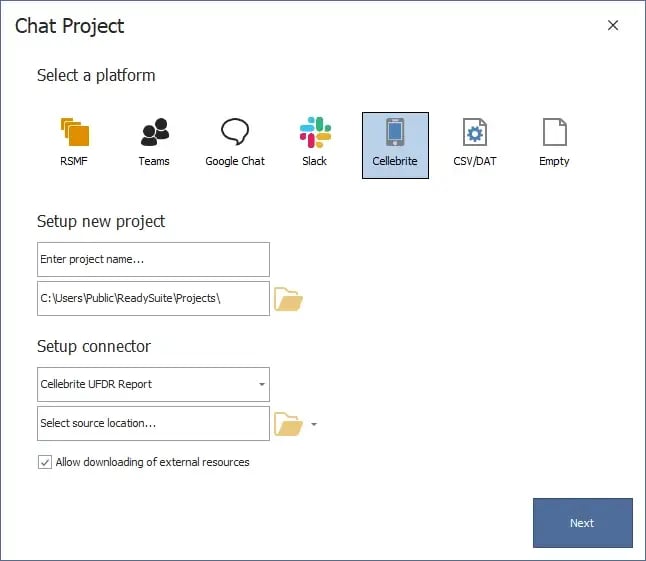
Two new connectors expand ReadySuite's chat data ingestion capabilities.
Cellebrite — ReadySuite can now process chat data from Cellebrite's UFDR (Universal Forensic Data Repository) format, a widely used mobile forensics export. This is particularly relevant for matters involving mobile device data where Cellebrite is the collection tool.
Delimited Files — A general-purpose connector for chat data stored in delimited file formats. This gives teams flexibility when working with custom or non-standard chat exports that don't map to an existing connector.
Empty Project — We've added a new, empty project for Chat data. This is useful when you plan to utilize a script to parse or import custom chat data into ReadySuite.
Chat projects now have a full scripting API, bringing them in line with the existing document scripting workflow — including script packs.
The API exposes the complete chat data model: sources, participants, threaded conversations, reactions, attachments, edits, and read receipts. That coverage opens up new categories of use that weren't previously possible:
Custom chat formats — you can now write a script to ingest data from messaging platforms that don't have a built-in ReadySuite connector
Metadata overlays — enrich existing conversations by overlaying metadata from external sources against the chat data model
Reporting — scripts can also be used to generate custom reports against chat project data, giving teams a new way to surface information from their chat collections
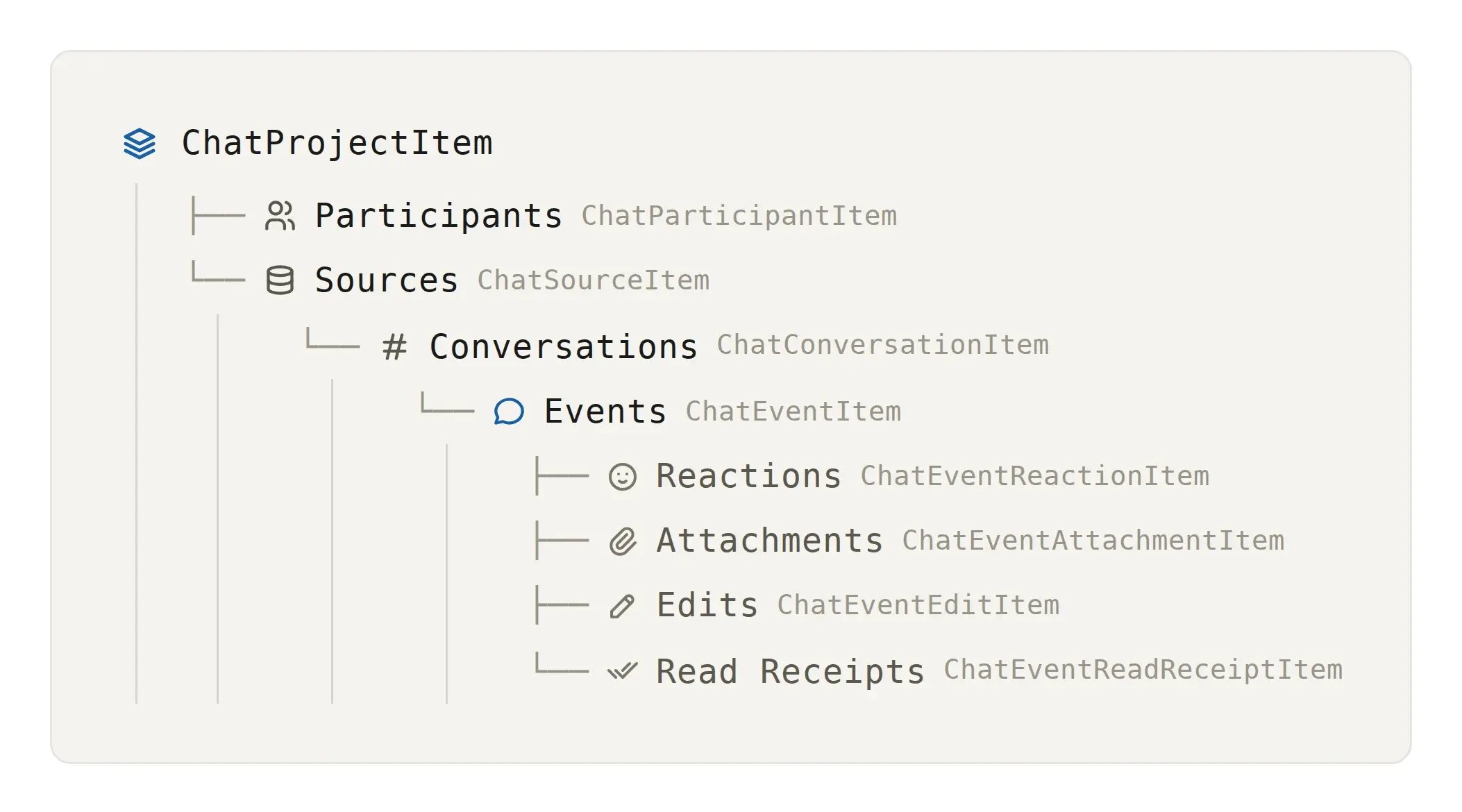
Existing ReadySuite document scripts continue to work without modification. The chat scripting API follows the same patterns, so there's no new framework to learn if you're already writing scripts today.
We’ll be working on a set of built-in chat scripts for common workflows — but if there's something specific you'd like to see, let us know. And stay tuned: the next release has some fun new features coming around generating scripts on-the-fly.
Three areas received targeted performance work in this release:
Grid and column refreshing — faster UI response when working in large projects
Platforms loading — reduced load time when initializing the Platforms view
Chat data import — improved throughput when importing chat project data
Updated handling for Microsoft Purview exports that produce HTML transcripts. This is an ongoing area of active maintenance given Microsoft's continued changes to the Purview eDiscovery export formats.
Attachment mapping for Google Chat Takeout exports has been improved to handle file name variations more reliably. Additionally, an object reference error that occurred when an attachment had no file name has been resolved.