


INSIGHTS
AUGUST 19, 2026
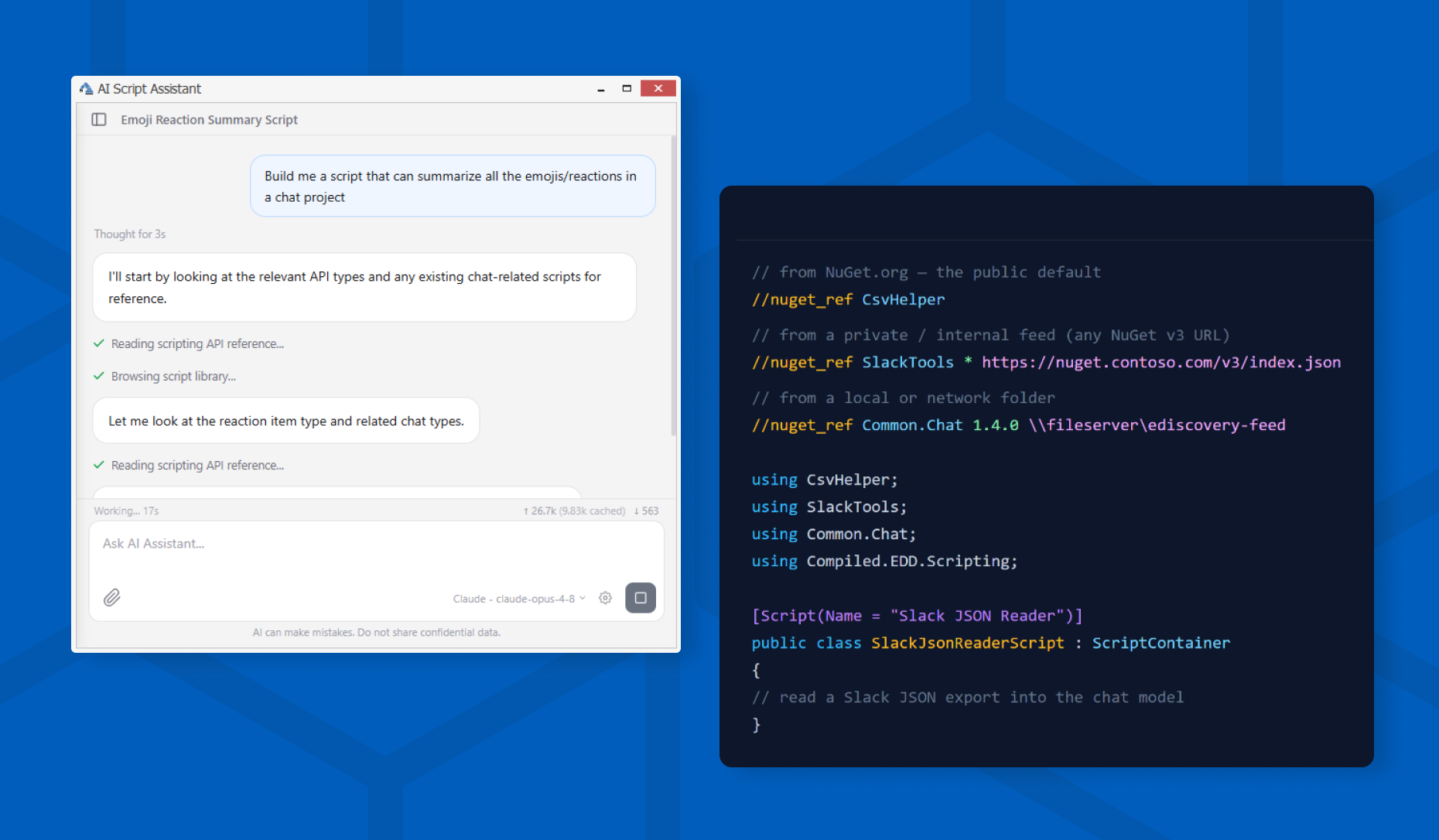
Creating a custom eDiscovery script can feel like starting from a blank page. And even if you get past that, you still need to be fluent enough in scripting to get it to actually fit your data. ReadySuite 9.1 changes that. Describe what you need in natural language, like “flag any record missing a family reference,” and the platform’s new AI scripting assistant builds a script matched to the real shape of your project, ready to run.
ReadySuite is KLDiscovery’s load file management platform for validating, converting, and automating eDiscovery productions across review platforms like Relativity and Nebula.
How the AI scripting assistant works
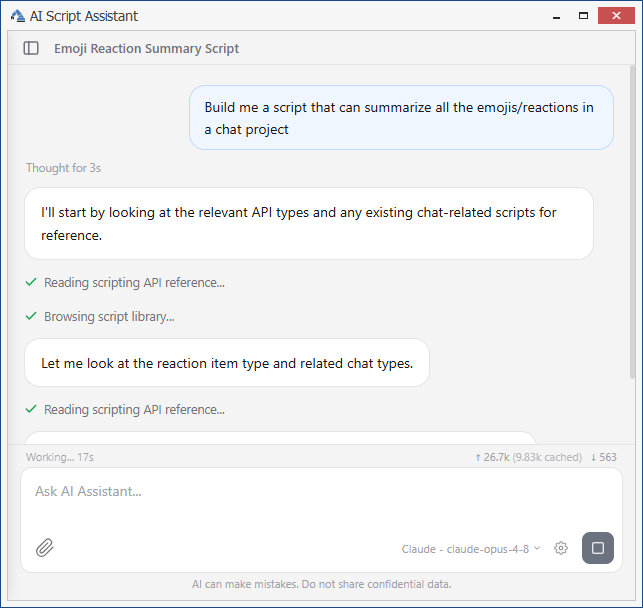
The assistant is built directly into ReadySuite 9.1. Describe what you need done to your documents, in your own words, and it builds a script that does exactly that. Whether you’re cleaning up a load file, prepping a production for Relativity, or building a one-off QC check, ask it to split a field on the last backslash, flag records missing a family reference, or pull a sender’s domain into its own column. The assistant writes the script, runs it through the same engine your scripts already use, catches its own mistakes, and keeps refining until the script holds together and does what you asked. You spend your time reviewing results instead of chasing errors.
You don’t have to learn C# to use it. If you’ve ever wanted to build your own eDiscovery script in ReadySuite and didn’t know where to start, this is where you start.
Two ways to work: Use the assistant as a standalone chat window, or dock it inside the Script Editor. Docked, it works live on the script you already have open: ask it to add a column for the parent ID or make it handle blank dates, and it edits your actual code in place instead of starting over.
Fluent in ReadySuite: The assistant isn’t guessing at ReadySuite’s scripting model. It can read the full scripting API reference, your existing script library, and any sample files you point it at, so it writes a parser around the real shape of your data instead of a generic template.
Built to ask, not assume: When a request is ambiguous or a decision could affect your data, the assistant pauses and asks rather than guessing. Once it’s done, you can run the generated script against your current document set or open it in the editor, all from the chat.
Designed for sensitive workflows
ReadySuite is still an on-prem tool, and the assistant was built to keep you in control at every step:
-
Nothing runs on its own. The assistant produces a script; you review it and choose to run it. Generated scripts are clearly marked as AI-generated.
-
Risk warnings appear before you run anything. Generated scripts are scanned for potentially destructive or unusual operations, like deleting files, removing documents or fields, altering chat data, or network access, and flagged for your review.
-
File access is gated. The assistant can only read a file off your machine after you approve it, per file or per folder for the session.
-
Everything is encrypted and local. API keys and conversation history are encrypted at rest, and conversations are stored locally on your machine.
Bring your own LLM key (BYOK)
ReadySuite 9.1 lets you bring your own LLM key. Connect the assistant to your own LLM provider and you’re up and running. BYOK is available as a free preview through the end of the year while the experience gets refined.
-
Anthropic (Claude) and OpenAI models are supported to start.
-
Custom endpoints let you point ReadySuite at Azure OpenAI, an internal gateway, or a compatible self-hosted model.
-
Per-provider settings, including model selection, reasoning effort, and extended thinking, come with live model-list fetching and a connection check, so you can confirm everything is wired up before you start.
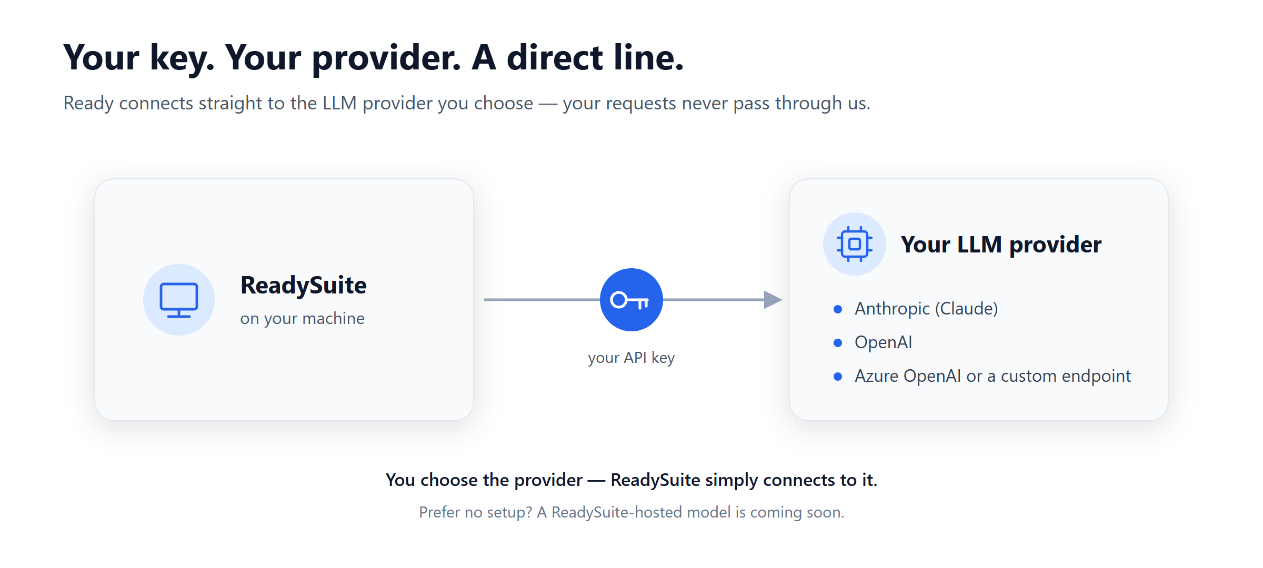
Because requests go from the ReadySuite application directly to the provider you configure, there’s nothing else in the middle of your data.
Coming soon to ReadySuite: no BYOK required. We know setting up an account with a separate LLM provider is a hurdle, so a future release will let you use an LLM hosted by ReadySuite instead, without configuring your own API key at all. BYOK will remain the option for teams that want to run against their own provider and keep that data path entirely in their hands.
NuGet package support in ReadySuite scripts
ReadySuite scripts can now pull in NuGet packages, so you’re no longer limited to what ships with the application when you write a script.
Add a directive at the top of your script and ReadySuite takes care of the rest: it downloads the package and any dependencies, caches them, and makes them available to your code when the script compiles. A directive takes a package ID, an optional version (leave it off for the latest stable release), and an optional feed source. Packages resolve from NuGet.org by default.
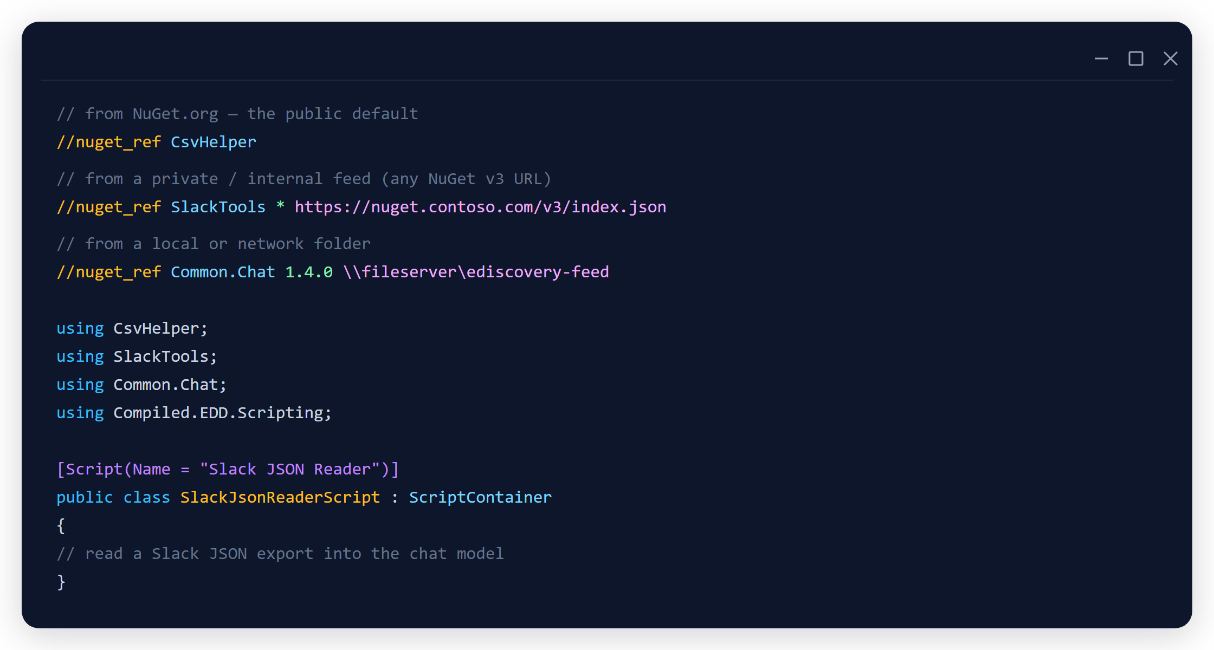
Why it matters: If a matter calls for something unusual, like reading an uncommon file format or pulling data out of a spreadsheet, chances are a tool already exists to do it. Now your scripts can pull directly from the broader .NET library ecosystem, covering things like unusual file formats, spreadsheets, JSON and XML, and date or encoding handling, instead of someone building that logic from scratch. Your team spends less time on one-off engineering and more time on the eDiscovery work that’s unique to your matter.
Built for controlled environments: Package downloads are cached locally, so a script doesn’t re-fetch on every run, and administrators can configure custom package feeds, including internal or offline feeds, for teams that need to restrict where packages come from.
This applies to every ReadySuite script. The NuGet ecosystem is now part of the standard scripting toolbox.
Get started with ReadySuite 9.1
ReadySuite 9.1 is available now. Update to get access to the AI scripting assistant, BYOK, and NuGet package support, or book a demo to see the assistant build a script against your own data.