![KLD Logo Only-1.svg]](https://www.kldiscovery.com/hubfs/KLD%20Logo%20Only-1.svg)
Messages of the Day
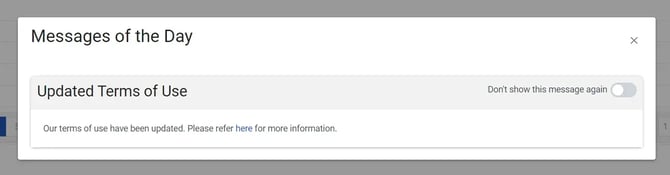
The Messages of the Day appear when you sign in to Client Portal. This pop-up window enables KLDiscovery to share important announcements about maintenance, updates, and other pertinent information.
After reading messages, you can click the "Don't show this message again" toggle to dismiss those messages that are not intended to appear every time a user signs into Client Portal.
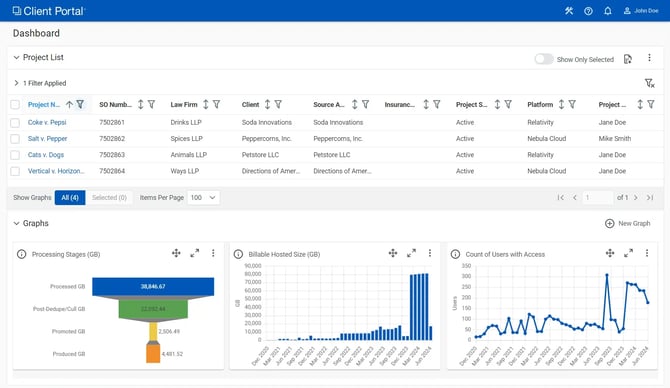
Dashboard
View the projects you can access on the Dashboard.
Click a Project Name to view project-specific information on the Summary page, Files, Billing, Contracts, and Users pages.
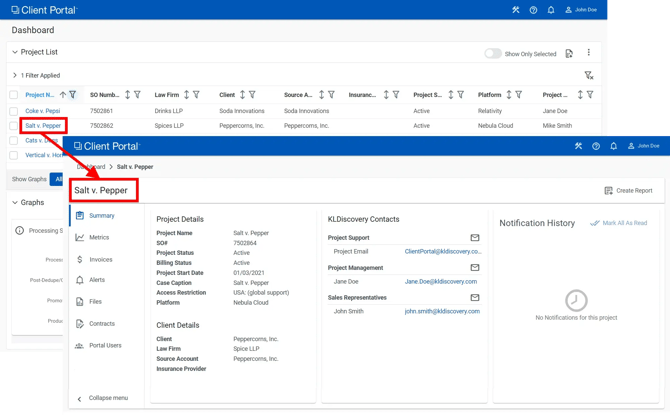
To return to the Dashboard
Click Dashboard in upper left corner.