
To download a single file.
Hovering over a single file or folder on the Files or Contracts tabs displays the following icon:
 : Download
Note: Greyed icons indicate the task in unavailable (example: system created folders cannot be moved or deleted)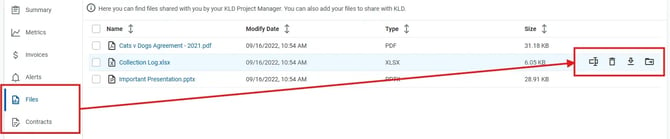
To download multiple files or folders.
On the Files or Contracts tabs, you can select multiple files or folders and perform the following mass actions from the tab's menu bar:
 : Download
The number of folders or files selected for the mass action is listed in the tab's menu bar.
Note: Greyed icons indicate the task in unavailable (example: system created folders cannot be moved or deleted).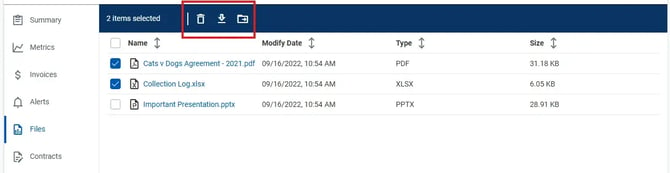
On the Files or Contracts tab, select the files of folders you want to download click the Download icon .
View the anti-virus scan, then click the green check icon .